EU Wallet interoperability self-test
Point your OpenID4VP-capable EU Wallet at the CodeB verifier and get a live report of what worked, what didn’t, and which spec section applied. Free, no sign-up, no cookies, no data retained.
What this tests. The wallet's OpenID4VP + HAIP behaviour against a running verifier — can your wallet parse an ES256-signed JAR with an x509_hash client_id, does it honour DCQL, does it JWE-encrypt the response with ECDH-ES + A128GCM, does it emit a valid KB-JWT with the nonce we sent?
What this does NOT test. Anything server-side (issuer chain, LOTL trust, WUA verification) is out of scope for a wallet-side self-test. See HAIP implementation notes for our verifier's own scope.
Reporting note. Checks marked inferred pass are derived from a single verified/declined signal returned by the verifier, not from per-check evidence. A verified response implies most of the chain (JAR ok, x509 matched, DCQL parsed, nonce echoed, JWE decrypted, KB-JWT verified, disclosures matched, aud matched); per-check server-side evidence lands in a next iteration. Use this page for interop smoke-testing, not for conformance certification.
Advanced — run a DCQL variant or a custom vp-start URL
Known variants:
login (multi-vct, default), login-single (single vct = urn:eudi:pid:1), aloaha-identity (Aloaha email/username), age-verify.
Requests the standard PID attributes (given_name, family_name, birth_date, nationalities, age_over_18) via a DCQL query whose vct_values accepts all three PID VCT forms currently in the wild under the ARF 3.0.0 PID Rulebook: urn:eudi:pid:1 (current dev.issuer.eudiw.dev default), the legacy ARF 1.x URN urn:eu.europa.ec.eudi:pid:1, and the dotted mdoc-DocType-style eu.europa.ec.eudi.pid.1. Whichever vintage your wallet holds, the DCQL matcher accepts it.
How to test with the EU Reference Wallet (Android / iOS) — step by step
- Install the EU Reference Wallet on your phone. Sources:
- Android: github.com/eu-digital-identity-wallet/eudi-app-android-wallet-ui/releases — grab the latest signed APK from the Releases tab and sideload it.
- iOS: TestFlight enrolment via the same GitHub org — see eudi-app-ios-wallet-ui README.
- Open the wallet and complete the initial setup — PIN + biometric unlock. First launch registers the wallet instance with the EU reference Wallet Provider.
- Get a PID (Personal Identification Data credential). In the wallet UI: Add document → Personal Identification Data (PID) → From the EU Reference Issuer. The wallet opens an in-app browser at
https://dev.issuer.eudiw.dev. Pick a demo persona (Erika Mustermann is the built-in) and confirm the issuance. The wallet stores the SD-JWT VC locally. - Come back to this page on your desktop and click Test with EU-issued PID above. A QR appears.
- Scan the QR with the wallet (tap the scan icon in the wallet header). The wallet fetches our signed authorization request, verifies the
x5cchain against the EU reference registry (we’re listed — see eudi-registration.html), then asks you to consent to sharing your PID attributes. - Tap Share. The wallet POSTs an encrypted VP (JWE with ECDH-ES + A128GCM) to our
response_uri. This page’s Report panel updates within 2 seconds with a green pass per HAIP check. - Same-device flow (no QR needed): on a phone browser, open this page directly and tap Open EU Wallet on this device after starting the test — the deep link
eudi-openid4vp://hands off straight to the installed wallet.
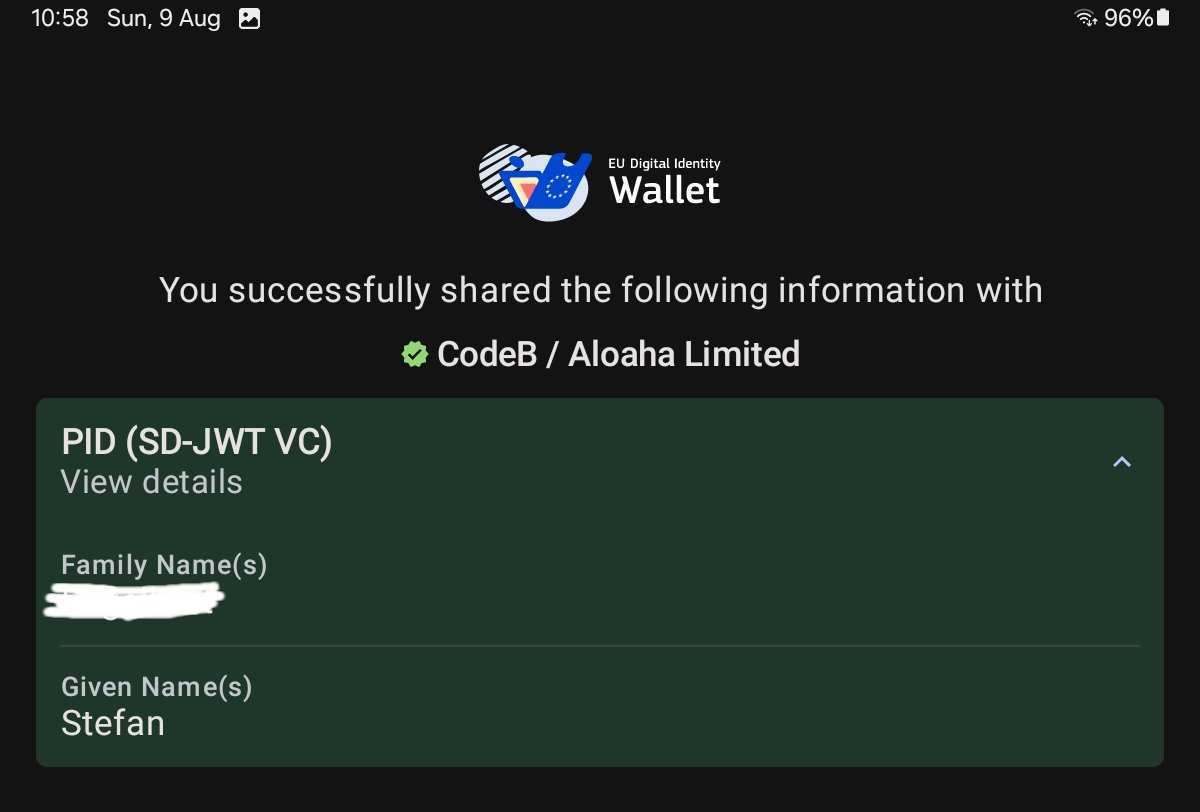
If PID issuance times out: the reference issuer at dev.issuer.eudiw.dev is a shared sandbox and sometimes returns 502 — check its status on eudi-registration.html (live ping) and retry a few minutes later.
Scan with your EU Wallet. On the same device, tap the button below to open the wallet directly.
Open EU Wallet on this deviceIdle. Click Start test above.
Report
This is a wallet-side interop test. Verifier scope + our own implementation record are in HAIP implementation notes. See also drop-in widget, verifier API.